
Triggers and connections
We define what starts the flow and which systems provide information, connecting APIs, files or events according to need.
- Workflow map
- Service connections
AI SERVICES / INTELLIGENT AUTOMATION
We design workflows that connect your services, understand the data and take the right next step. Let’s run one together.
Let’s talk about your workflowCustomer experience / Sample workflow
When a zoom control is focused, use the arrow keys to pan the canvas.
Uses sample services and prepared AI outputs. No real connections, model calls or messages are sent.
Different systems. One shared purpose.
AI-Powered Workflow Automation
We develop automation as a workflow across systems. Triggers, service connections, AI processing and human approval are designed as parts of the same process.
For tasks such as creating records from documents or routing requests, rules handle predictable steps while AI is considered where interpretation is needed.
What we deliver
We define what starts the flow and which systems provide information, connecting APIs, files or events according to need.
We combine classification, extraction or drafting with business rules, validating outputs before subsequent steps.
We add approval where needed, making stalled work and recoverable steps visible.
The work in context
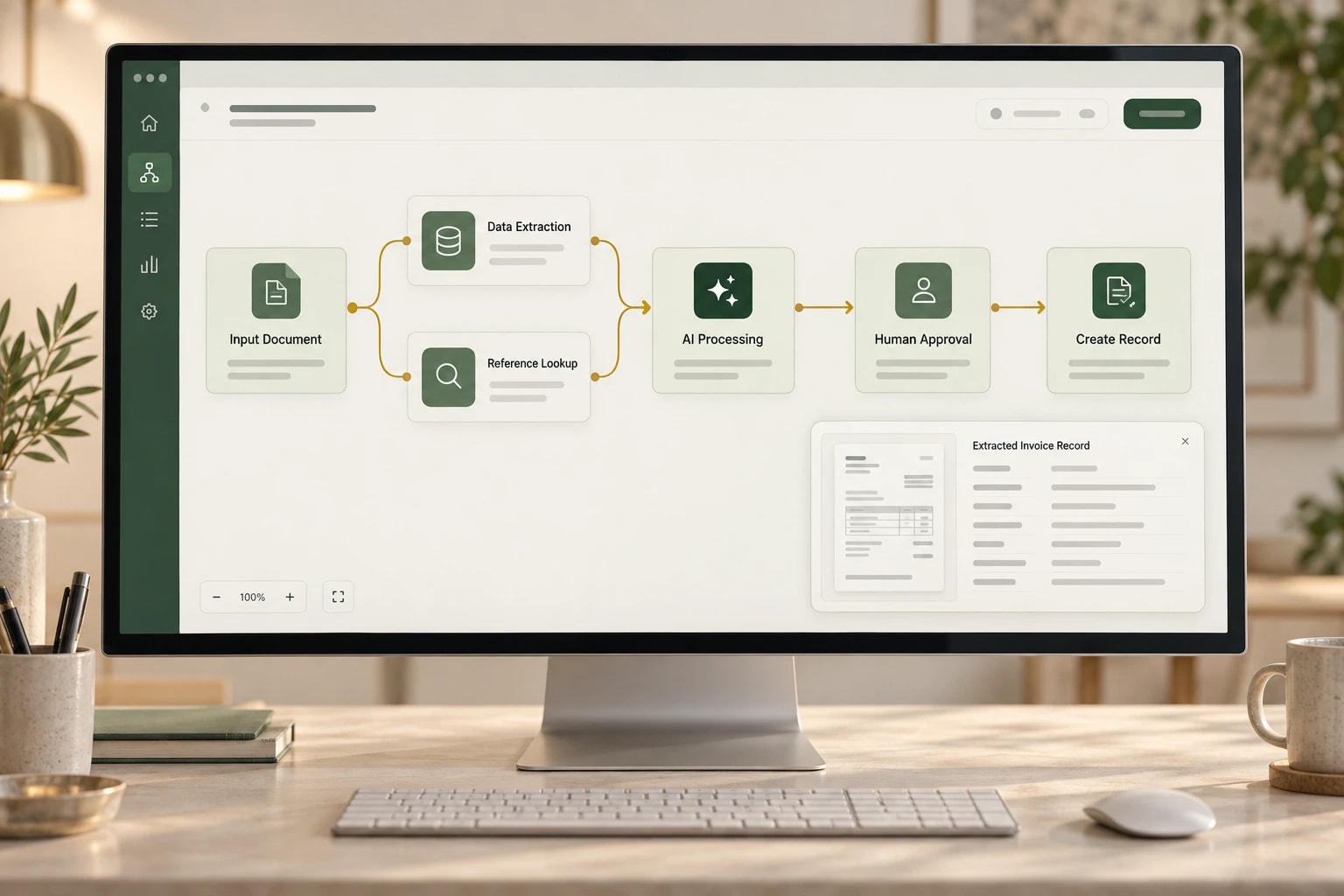
In the example, a document is received, information extracted, checked against existing records and sent to the destination after approval. Users can follow how the result was produced.
How we work together
Deliverables and the working plan are defined around the needs of your project.
Identify inputs, repetition and decisions.
Arrange services, rules, AI and approvals.
Implement successful, failed and retried scenarios.
Complete monitoring, permissions and intervention paths.
Engineering in the details
We account for tasks where retries must not repeat an action.
Approval points follow the impact of decisions and actions.
Step results, reasons for waiting and errors remain traceable within the workflow.
Common questions
No. Conventional automation may be more suitable for deterministic rules. AI is considered for tasks such as interpreting text or classification.
The failure determines whether to retry, intervene or cancel. Recovery is designed to avoid unnecessarily repeating completed work or creating inconsistent records.
We review API, export and access options. Suitable connections can support automation across existing tools without replacing every system.
Share the input, the services involved and the record you want at the end.