
Start without writing code
Develop a wide range of products and services with Studio, visual data models and workflows.
 Developed by Inge Technology
Bring products and services to life without writing code. Reduce development work by connecting content, applications, identity, payments and automation on one shared platform.
No-code setup · Shared infrastructure · Omnichannel content
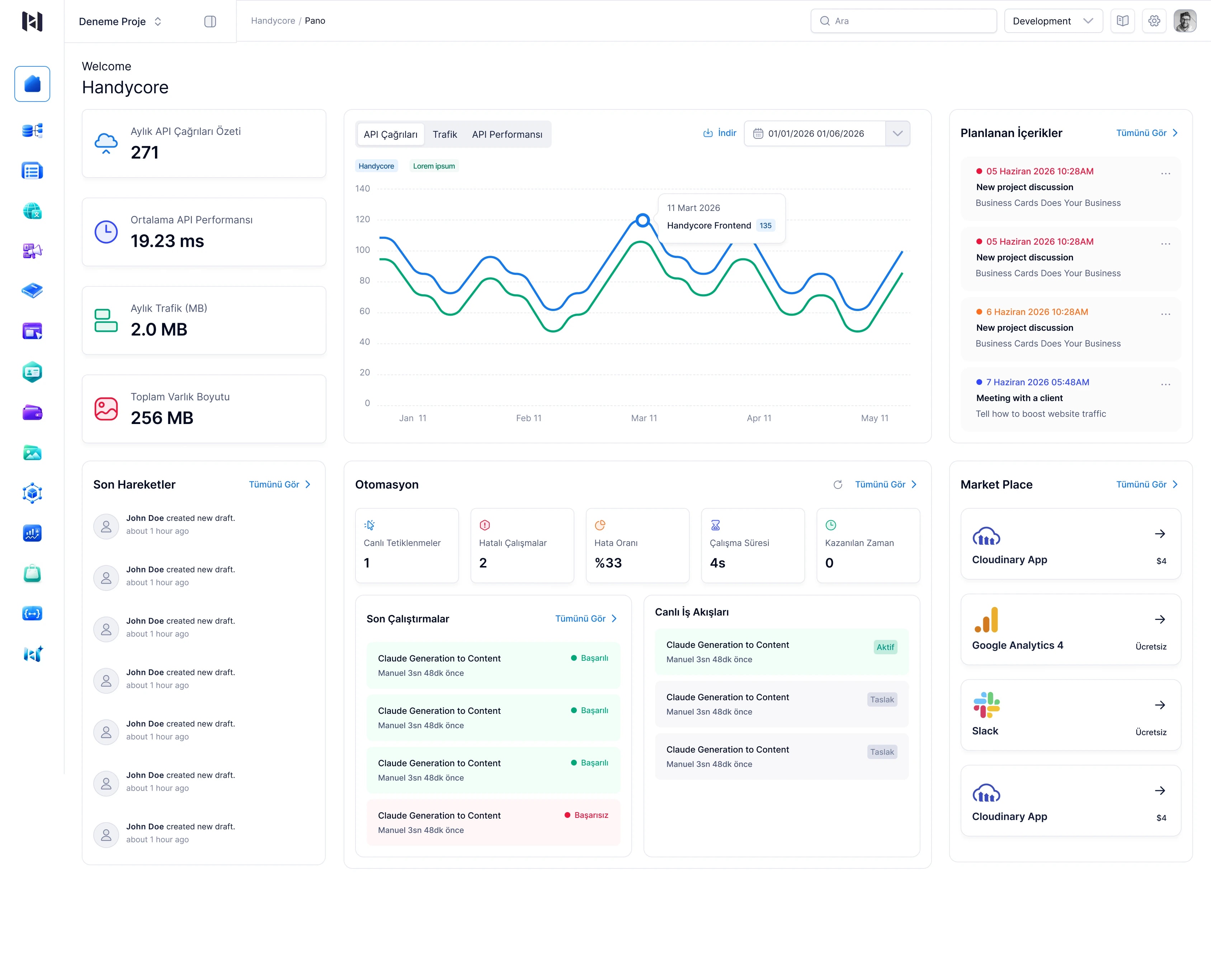
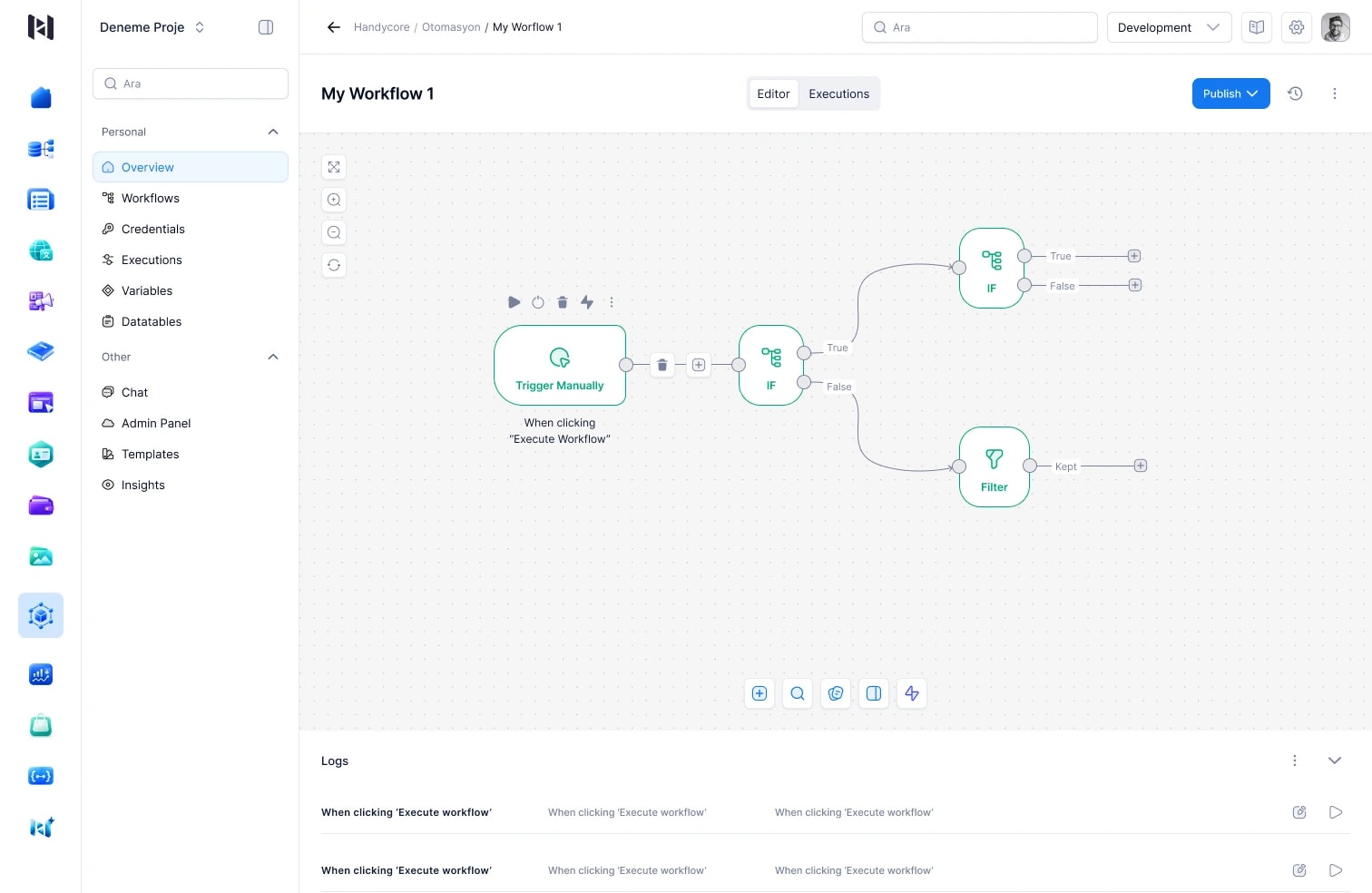
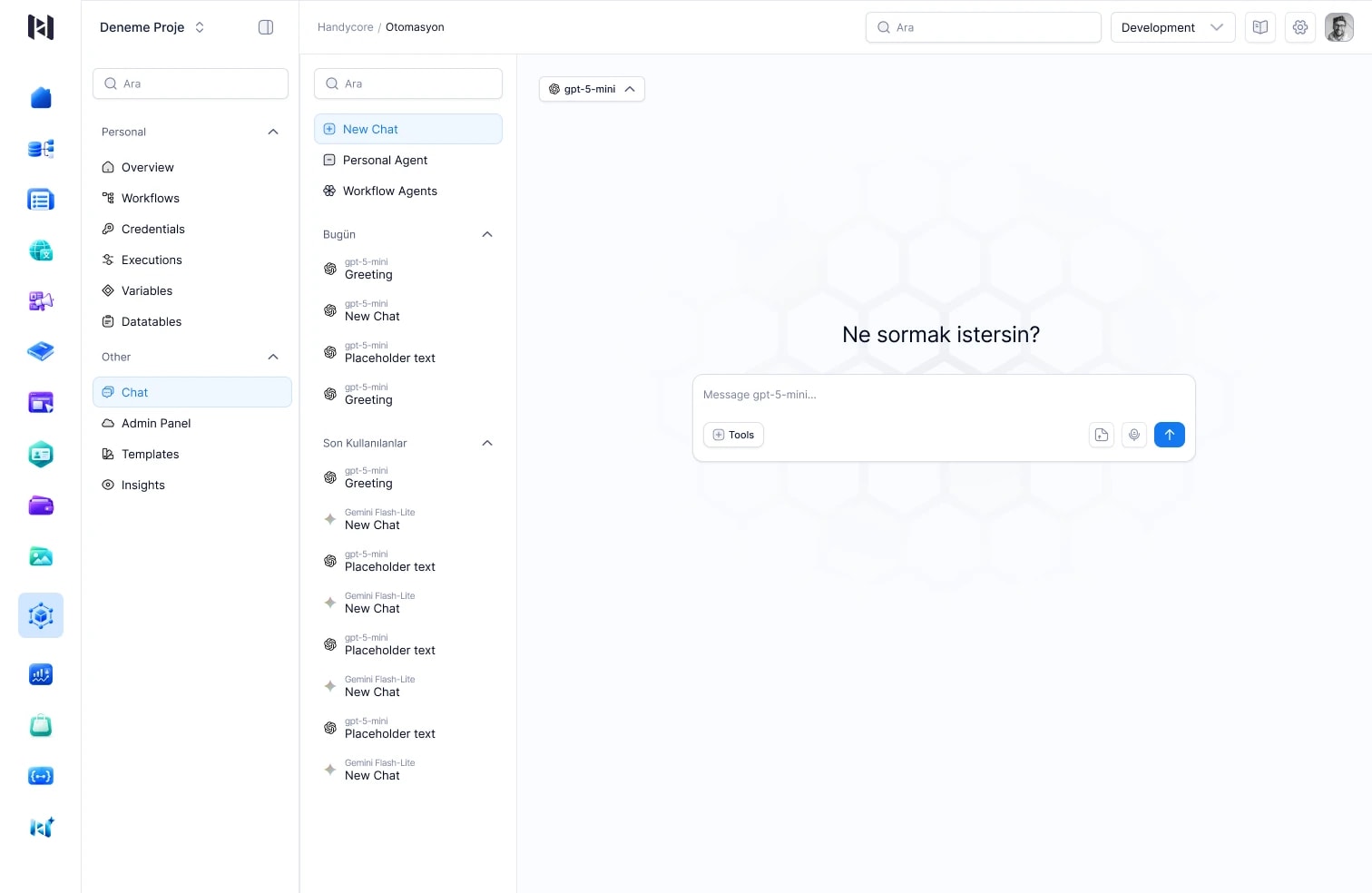
Screens from the Handycore product design, containing sample data.
Focus on your idea. The foundation is ready.
Use shared capabilities for web and mobile development, content and assets, payments and identity, observability, AI and automation. Focus on what makes your product different instead of rebuilding its infrastructure for every project.
Develop a wide range of products and services with Studio, visual data models and workflows.
Meet common identity, payments, content and monitoring needs on one platform. Reduce repeated development and maintenance work.
Connect your website, mobile app and other digital channels to a single content source.
The Handycore platform
Start with the modules you need. As your product grows, add capabilities on the same data, identity and permission foundation.
Model your data. Manage your content.
Define fields, relationships and management screens. Create content once and deliver it across web, mobile and other channels.
All your digital assets in one place.
Organise images, video and files in a shared library. Reuse the same assets across experiences with version and access controls.
Reach new languages from one hub.
Manage interface strings, translation status and language rules centrally. Keep web and mobile experiences consistent across languages.
Build web and mobile applications.
Design interfaces visually and connect them to real data and platform modules. Extend them through source code when your project needs it.
Turn knowledge into a living website.
Create product guides, help centres and API references. Manage your branded documentation site with languages, versions and publishing workflows.
Create your workflows visually.
Connect services, conditions and actions. Reduce recurring work with processes that run on schedules and application events.
Add payments to your product.
Build payment flows with integrations such as Stripe, iyzico and Paynet. Manage checkout, subscriptions and refunds through shared capabilities.
Give your product an identity layer.
Add user and identity pools to your applications. Configure registration, login, sessions and authentication policies centrally.
See what happens in your application.
Follow logs, metrics, errors and traces in context. Bring monitoring, alerting and performance visibility to your applications.
Work with AI that fits your business.
Use assistants that understand your content and application context. Connect reusable agents to workflows and tools.
Connect your applications and tools.
Access Handycore through REST, GraphQL, webhooks and MCP. Bring existing services and AI clients onto the same platform.
Manage multiple customers and teams.
Preserve tenant, application and environment boundaries. Configure multi-user workspaces with detailed roles, permissions and settings.
01 / Contents & Schemas
Manage products, campaigns and content in one place. Define the fields you need without code, and use the same up-to-date content across your website, mobile app and other channels.
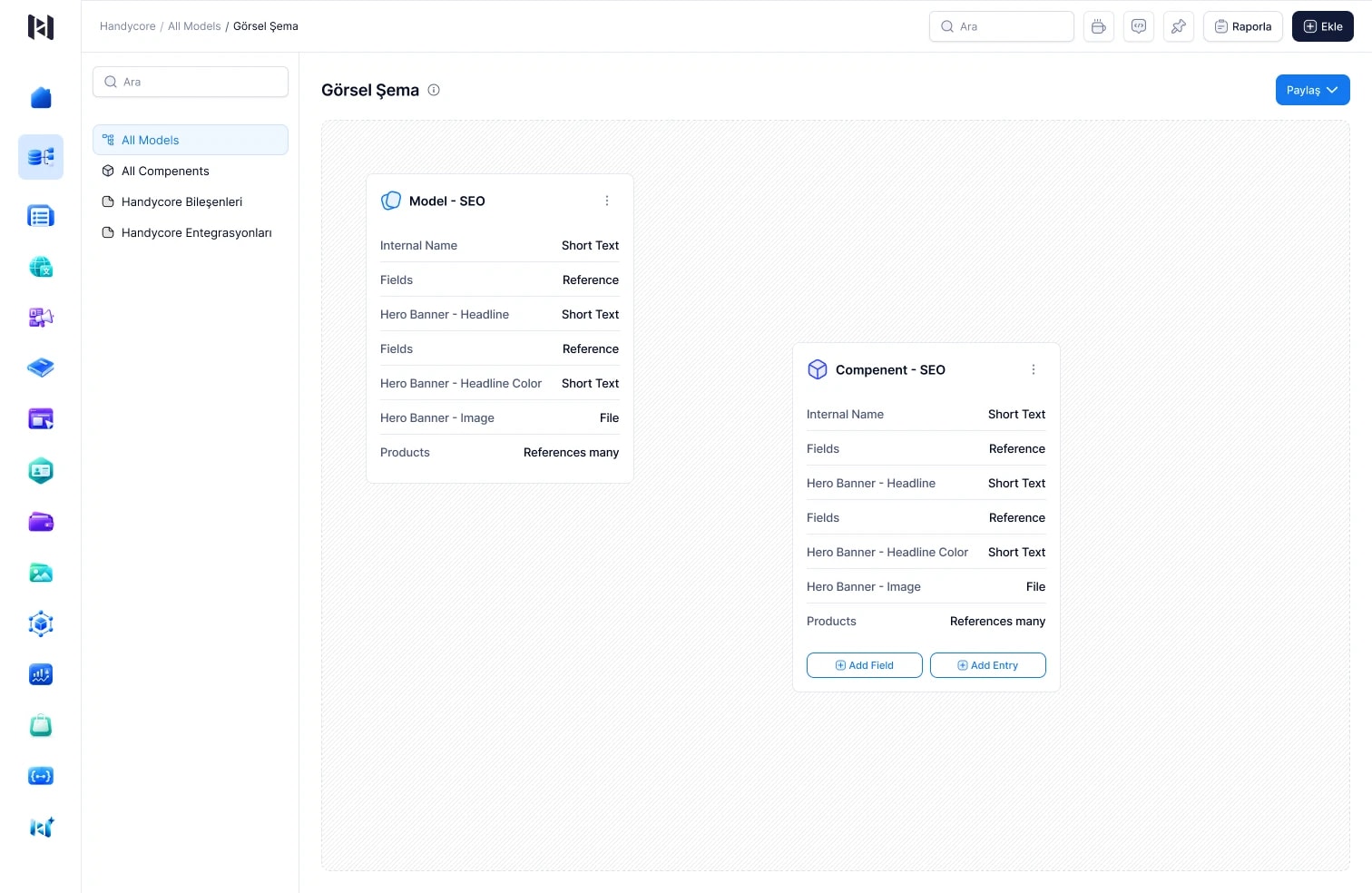
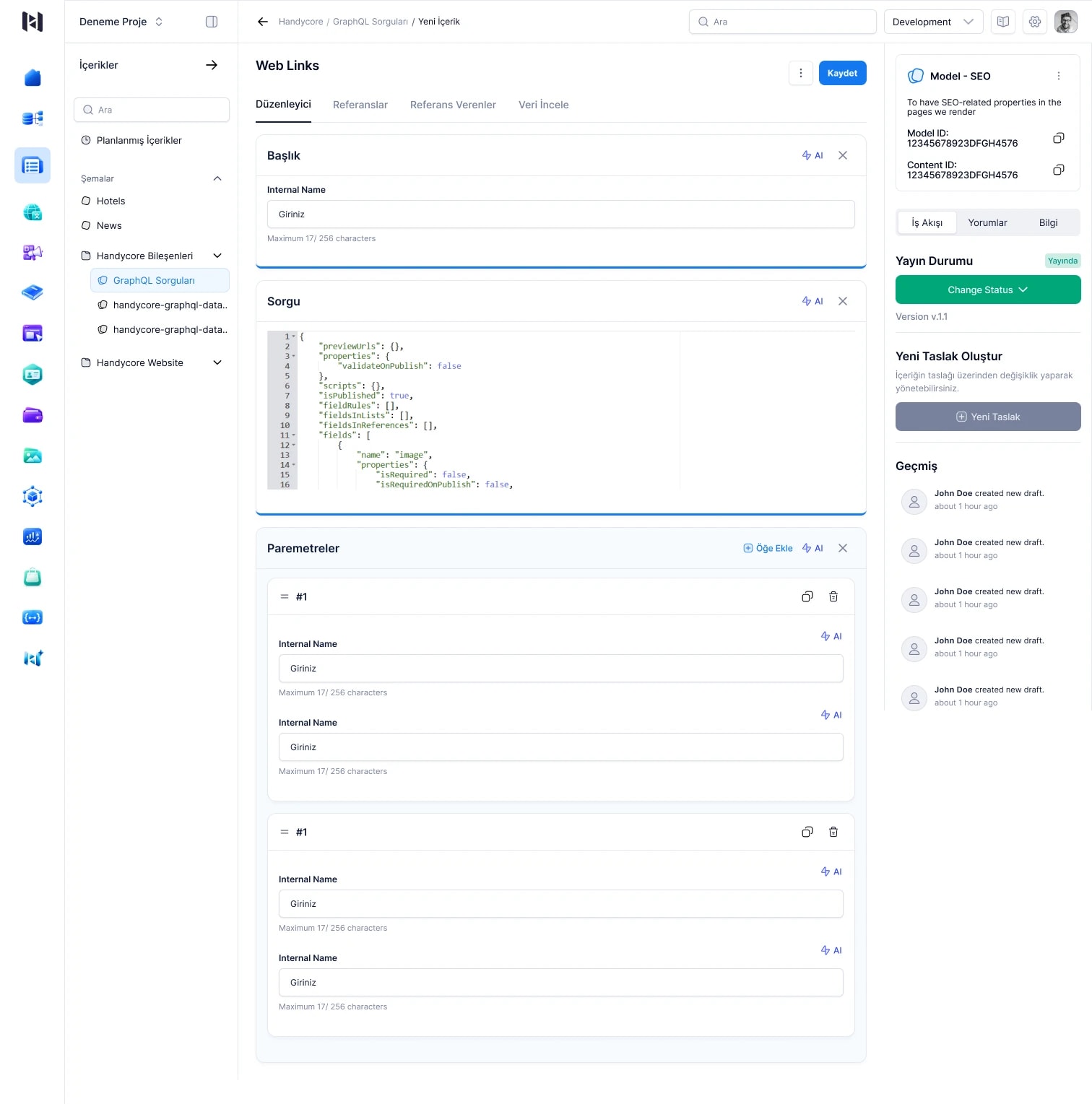
Create models with the data types, related records and reusable components your work needs.
Manage multilingual content, drafts, reviews, scheduling and version history in one workspace.
Use the same content consistently across web, mobile, APIs, automation and AI tools.
02 / Automation
Start with an event, schedule or webhook. Transform data, define conditions and connect services. See the whole process, from visual design to execution history.
Build human reviews, wait steps and retry behaviour into the process itself.
A schedule, application event or webhook.
Conditions, data processing and service actions.
Versions, execution records and error tracking.
03 / AI & Agents
Work with an assistant that understands your content, schemas and project context. Define reusable agents with the tools, model and execution limits your work requires.
Prepare content and language suggestions, and get AI assistance with schemas, rules and scripts.
Use versioned agent definitions through APIs and automation workflows.
Review the impact of changes. Work within access and approval rules, and follow usage and activity records.
04 / Platform architecture & integration
Content, payments, identity and application development share one architecture. Connect existing systems through APIs and AI tools through MCP.
Tenant · Application · Environment · User · Roles & permissions
Manage data and access boundaries for different customers, applications and environments with a multitenant architecture.
Organise multi-user work through roles, permissions and access profiles. Define which resources people can use and what they can do.
Configure connections, providers, quotas and operating policies around your application and environment needs.
Explore the live GraphQL schema, build queries and connect content operations through REST APIs. Keep your own interfaces and technology choices.
Connect MCP-compatible clients to Handycore capabilities. Set resource and operation boundaries with access profiles, and require human approval for relevant changes.
Handycore at work
Build the experience in Studio. Power each channel through Contents and Assets, and add languages with Localization.
Create user pools with Identity and connect payment flows with Payments. Run the background processes through Automation.
Publish knowledge with Documentation, support your team with AI, and monitor applications and processes with logs, metrics and alerts.
Questions, answered
Content, operations, product and software teams. Business users work with relevant editors and processes, while developers shape schemas, integrations and the application experience.
Create data models and management screens with Schemas and Contents, web and mobile interfaces with Studio, knowledge sites with Documentation and workflows with Automation. Connect identity, payments, media and multilingual capabilities to your product. Extend the platform through APIs and development tools for specialised code or integrations.
It provides shared content, assets, identity, payments, localization, automation and observability capabilities. Studio connects interface development with these modules. This reduces the work of rebuilding and maintaining the same layers for every project. The benefit depends on your scope and integrations.
No. Products, campaigns, articles or custom records defined in Schemas can all be managed in Contents. The same structured records can feed different channels and workflows.
REST APIs, GraphQL, webhooks and automation can connect Handycore to existing systems. We define the services, data flows and access requirements together within your project's scope.
Yes. The multitenant architecture separates tenant, application and environment scopes. Team members, roles, permissions and access profiles support multi-user work. Identity manages the end-user and identity pools for the products you build.
Providers such as Stripe, iyzico and Paynet can be integrated through the shared payments layer. Checkout, subscription, instalment and refund capabilities depend on the chosen provider and enabled adapter. We confirm the payment scenario and provider scope together during your demo.
AI and MCP actions are limited by user roles, application and environment context, and access rules. Changes require review and approval according to their risk. You can define an agent's tools and execution limits.
We start with the process you want to improve, then demonstrate relevant Handycore modules, integrations and an example workflow. Module and provider availability are confirmed for your configuration.